
The 1xBet iOS betting app brings a stacked selection of sports, live events, casino games, and account settings to Apple gadgets in Ghana. With a lively blue and green palette, a bottom navigation bar, and straightforward sections for each feature, everything sits just a tap away whether on iPhone or iPad. I find the dense layout keeps key options close, cutting down on aimless scrolling, but never feels overwhelming thanks to clear divisions and icons.

1xBet iOS Betting App for Ghana Users – Installation Guide and Expert Review
Operating system
iOS 11.0
RAM
1GB
Memory
120 MB
Languages
English
1xBet Welcome Bonus
100%up to 1500 GHS
 Download for iOS
21+
| New customers only
What makes this app stand out in Ghana is not just its look but how quickly users can jump between markets, check live scores, or handle account tasks. The app operates legally under an international offshore gambling license, trusted among locals for reliability and security. One can see why iOS users who enjoy on-the-go sports betting and casino games prefer a setup like this, where everything clicks together without hassle.
1xBet Bookmaker App: Step-by-Step Guide on Installation
1xBet built its iOS mobile app to run on most Apple smartphones and tablets, old and new. This handy piece of software feels user-friendly, and developers keep device requirements pretty reasonable for both new and experienced bettors. The table below covers the app’s main tech details.
| Parameter | Description |
|---|---|
| License | International offshore gambling license with acceptance of Ghana users |
| Operating System Version | Compatible with iOS 11.0 or later |
| Free Memory Space | The app needs 80–120 MB of available storage |
| RAM | At least 1 GB RAM is recommended for good performance |
Supported iOS Devices
Developers behind 1xBet put effort into making the iOS app easy to use across a broad list of Apple models. You can use it with iPhones starting from the 5s all the way through recent flagship versions like the iPhone 14.
It also works great on iPad models going back to classics such as the iPad mini 2 and up to the latest Pros, as well as on Apple Watch Series 6 or newer. Support for so many models means users don’t have to upgrade their gadgets just to try out the app.
If you do not spot your device on this list, it does not mean you are out of luck. Trying to download straight from the App Store or 1xBet website lets your device check compatibility automatically, so if it works, the app will install without issues.
How to Download & Install 1xBet Sports Betting App on iOS?
Downloading and installing the 1xBet iOS app is quick, and the method applies to both iPhone and iPad. Tablet users do not need to follow any complicated changes – just expect adjusted screen layouts for their larger displays. Here’s a simple guide:
1
Visit the Official 1xBet Mobile Site
Open the Safari browser on your iPhone or iPad and head to the official 1xBet website. Find the App section in the main menu to get started.
.png "Visit the Official 1xBet Mobile Site")
2
Register a New Account or Log In
Complete the fast registration process or log in using an existing account if you already have one.
.png "Register a New Account or Log In")
3
Tap to Download the iOS App
Locate the iOS app icon and tap the download button. The website will redirect you to the App Store or provide a direct download link. Download 1xBet iOS App
Download 1xBet iOS App .png "Tap to Download the iOS App")
4
Install and Launch the App
After downloading, tap the app on your home screen, and wait for installation. Open the app, and you are ready to go.
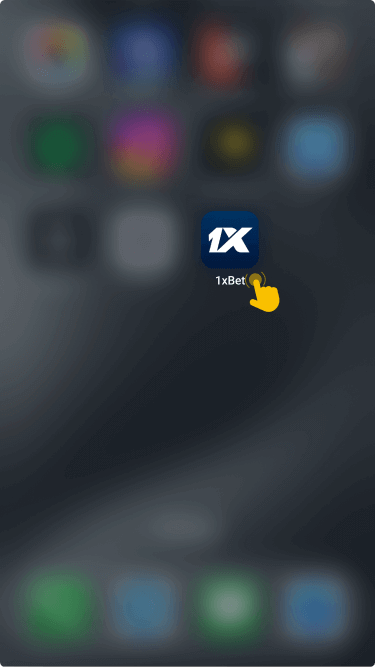
If you decide not to install the iOS app, iPhone or iPad users can always enter 1xBet directly through their device browser for a mobile-optimized setup.
Bonuses and Promotions You Can Find on 1xBet App for iPhone and iPad
The 1xBet iOS app features a mix of sports betting rewards to spice up your play from the first day. These offers create extra excitement whether you focus on popular sports or chase new event odds.
- Welcome Bonus: 1xBet offers new users a first deposit welcome bonus to boost their sports betting starting balance significantly.
- Free Bets: Earn free bets through regular promotional campaigns, which pop up directly in the app.
- Accumulator Bonuses: Stack certain multi-bets and receive accumulator boosts when they qualify under app terms.
- Casino and Ongoing Promotions: Play slots and live casino games for casino bonuses, and check the app’s promotions tab for the latest sports offers.
At present, there is no special bonus just for downloading the app itself.
How To Start Betting With 1xBet iPhone App
Getting a bet placed with the 1xBet iOS app feels simpler than on desktop, mainly because every action sits only a finger tap away. Clean navigation and in-app shortcuts help users get into the game quickly, skipping most hurdles that slow down the process.
1
Locate the 1xBet iOS App and Log In
Find the 1xBet app on your phone or tablet home screen, open it, and use your login details to enter your account.

2
Make a Deposit and Grab the Bonus
Head to the payments section, deposit at least the minimum required, and follow any prompts to receive a welcome bonus if you are a new user.

3
Explore Events and Markets
Browse the main sports lobby for pre-match or live events, or use the search to find your favorite market.

4
Pick a Market and Place Your Bet
Choose a specific event, decide on the market and wager amount, then tap to confirm your entry.

Accepted Payment Methods
Payments in the 1xBet iOS app cover nearly every system that Ghana bettors prefer. You can use popular mobile money services such as MTN MoMo, AirtelTigo Money, and Vodafone Cash, in addition to direct Visa or Mastercard payments, electronic wallets, and even cryptocurrencies for both deposits and withdrawals. USSD and SMS banking might be useful for some users, depending on their provider’s support.
Processing times for mobile money and cards often finish within minutes, while other systems like e-wallets and cryptocurrencies also tend to be quick. Most payments start from a low minimum, while maximums depend on the chosen provider. KYC checks may apply, particularly for withdrawals.
Mobile payment features play a big role. Apple Pay is available for supported users, while Google Pay works for Android only. These features make payments quick and simple for all user levels.
Complete transaction rules and payment-related T&Cs, including limits, can be found directly in the app or on the official 1xBet website.
Common Problems With 1xBet iOS App Installation
Sometimes Ghana users find themselves running into issues when trying to install the 1xBet app on their Apple gadgets. Below is a quick table of common hiccups and practical ways to solve them.If these fixes do not help, consider reaching out by:
| Problem | Solution |
|---|---|
| App won’t download | Check your internet, clear App Store cache, and try again. |
| App won’t install | Make sure your device meets iOS and memory requirements before retrying. |
| App won’t launch | Restart your iPhone or iPad, or uninstall and reinstall the app. |
| App crashes | Update the app to the latest version, and update your iOS as well. |
- Using the 24/7 live chat in-app
- Sending an email to [email protected]
- Submitting a support ticket via your account area
Disclaimer
Mobile apps give bettors in Ghana quick and frequent access to sports betting, which can make it easier to lose track of time and spending. Responsible betting starts with understanding the risks and setting healthy limits for your play.
If you are using the 1xBet iOS app, only play with money you can safely lose, always set deposit and loss limits within your account, and avoid chasing losses. Take frequent breaks, and if betting stops feeling like fun, seek help straight away. Local resources in Ghana, including counseling and national helplines, are ready to provide guidance and support.
FAQ
Do I Need a Separate Account to Bet on Sports on the 1xBet iOS Application?
No separate account is needed for the 1xBet iOS app if you already have a registered 1xBet account. You simply use your regular login details to access your profile, whether from smartphone, tablet, or desktop. The same account manages all your personal data, deposits, and betting history.
Which Is Better: 1xBet iOS App or Mobile Site?
Deciding between the 1xBet iOS app and the mobile site comes down to preference. The app feels quicker, with everything accessible just by tapping icons or using swipe navigation. The app supports notifications, real-time odds, and a smoother live betting setup. On the other hand, the mobile browser version works without any downloads and always uses the most current layout automatically.
How to Update the 1xBet iOS App to the Latest Version?
Keeping the 1xBet iOS app up to date keeps your betting smooth and gives you access to the latest new features, odds, and promotions. For regular updates, visit the Apple App Store and check for the latest version on your device. If automatic updates are not active, just open the App Store manually, search for 1xBet, and tap the update button.