

How to Log in to a 22Bet Account 2026
22Bet is a global sportsbook that continues to gain traction in Ghana thanks to its fast navigation, broad event coverage, and convenient betting options across devices. To place bets, withdraw funds, or claim promotional offers, users must first sign in to their accounts. Logging in to 22Bet is straightforward as long as you have a stable internet or Wi-Fi connection. The platform supports multiple login methods across different devices.
| Login button | located at the top right corner of the homepage |
| Credentials | valid Ghana phone number or social network account and password |
| Mobile app | available for Android (version 6.0+) and iOS (14.0+) |
| Customer support | live chat, email at [email protected], phone number +234 90 7026 3332 |
22Bet Login Requirements
Only users who have previously registered with 22Bet can log in. Before attempting to sign in, make sure you meet the following requirements:
- A valid phone number or social network account that you used during your registration process.
- A fast and reliable internet connection to prevent timeouts or loading errors during the login process.
- A browser or the 22Bet app updated to the latest version to ensure full compatibility with the platform.
How to Sign In to 22Bet Website
Signing in through the 22Bet website is the simplest way to access your account on any device. Whether you use a desktop computer or a mobile browser, the process remains the same.
Follow these steps:
- Use our link to navigate to the official 22Bet website in your preferred browser.
- Click the “Login” button, which you will find at the top right corner of the homepage.
- Enter your registered phone number or social network credentials along with your password.
- Tap the green “Login” button to submit your information and access your account immediately.
Once the page loads, you will land on the main dashboard where all betting markets are visible. If your credentials are correct, the entire process takes just a few seconds.
Lite Version Sign In
22Bet does not currently offer a dedicated lite version of its website. Users with slower internet connections or older devices can still access the platform through the standard mobile site, which is optimized to load quickly and consume less data. The mobile browser version retains all core betting features without requiring any additional downloads.
Mobile App Login
22Bet is widely accessible through mobile devices thanks to its dedicated apps for both Android and iOS. The apps provide a smooth and responsive experience tailored for on the go betting.
Follow these steps to log in through the 22Bet mobile app:
Download and install the official 22Bet app from the bookmaker’s website for Android or the App Store for iOS.
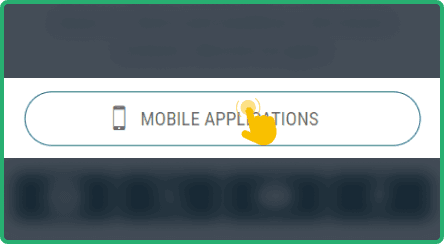
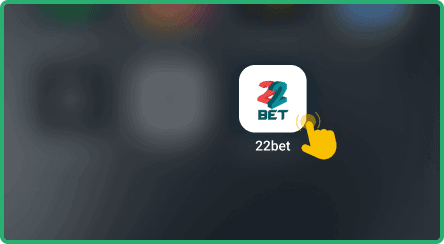
Launch the application on your mobile device and wait for the home screen to load fully.
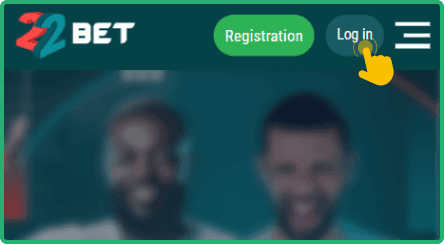
Locate the login button at the top of the screen and tap on it to open the sign in form.
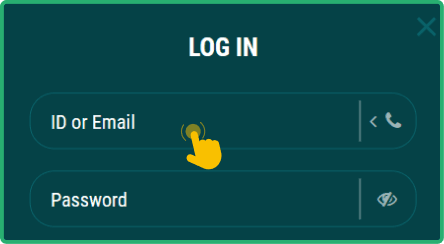
Input your registered phone number and password, then tap the login button to enter your betting dashboard.


Offline Login Guide
22Bet does not currently support SMS or USSD login options in Ghana. This means that an active internet connection is required each time you want to access your account. For users who want to manage data consumption, connecting through Wi-Fi at home or using affordable mobile data bundles from local operators can help reduce costs. You could also try logging in during off peak hours when network speeds tend to be faster and more stable.
What to Do After Login
Once you are logged in, head to the cashier section and make a deposit to start placing bets with real money. The platform supports a wide range of payment methods popular in Ghana, so you should find a convenient option quickly.
22Bet offers several bonuses that could boost your bankroll after a successful deposit. These include a welcome 100% bonus for new users, a Friday reload sportsbook bonus, a rebate bonus, and an accumulator bonus for multi selection bets.