

Login to Melbet Account in 2026
To make a deposit, claim a bonus, place a bet, and withdraw your winnings, you need to sign in. Logging in to your Melbet Ghana account is as easy as pie with a reliable internet connection. Moreover, you can log in using different devices.
| Method | Description | Link |
|---|---|---|
| Mobile app | Designed to work seamlessly on most modern Android and iOS mobile devices | Download the Melbet App |
| Website | Loads faster and automatically adjusts to different screen sizes | Melbet Website Login |
| Mobile site | Ideal for those who don’t like downloads or have devices with limited resources | Melbet Mobile Site Sign In |
Melbet Login Requirements
Only Ghanaian residents who have already registered with Melbet Ghana are allowed to log in. These are the requirements for logging into your account:
- A valid phone number: You should have an active mobile phone number. In addition, the number must be registered under your name.
- A stable internet connection: For quick access to your account, your connection needs to be fast and free of technical hitches.
- Updated browser or app: Your device's browser should be updated to the latest version, and so should the app.
Mobile App Login
Melbet offers a standalone mobile app for Android, iOS, and iPadOS. You can download and install it on your phone or tablet if it meets the requirements highlighted in the following table.
| Parameter | Technical Requirements |
|---|---|
| Compatible operating systems | At least Android 5.0 and iOS 8.0 or higher |
| System memory | 2GB or higher of RAM is perfect |
| Free device storage | Between 100 and 300 MB is okay |
| Network connectivity | Your internet connection needs to be stable to minimise lag |
Below is a step-by-step guide to logging in via the mobile application.
Access the official Melbet mobile site using Safari browser if you’re an iOS user. Scroll down to the “Application” section on the home page, then download the Android or iOS app, depending on your device's operating system.
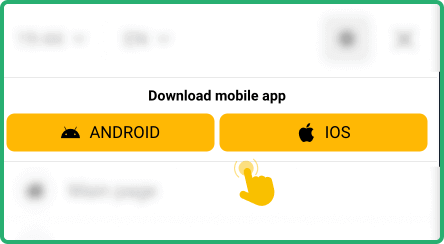
Once the download completes, install the app. Next, run it after a successful installation process.

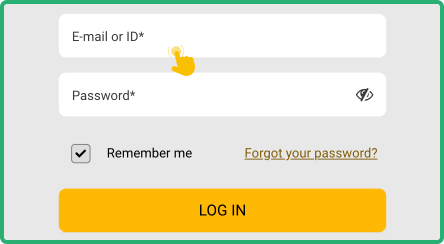
Tap on the “Log in” button and accurately enter your mobile number and password in the login form.
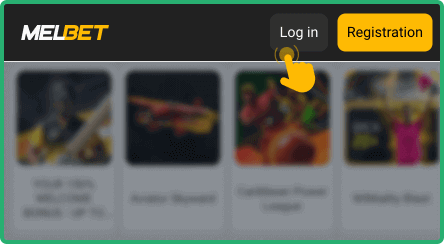
Tap on the “Login” button to submit your login details. The application will log you in.


How to Sign in to the Melbet Website
Signing in on the desktop version is the most straightforward way to access your Melbet account via any supported device. Follow this step-by-step guide to log in to your Melbet Ghana account using the site:
- Visit the website: Open the official Melbet Ghana website in a browser such as Google Chrome or Safari.
- Hit the “Log in” button: Go to the top-right corner of the site and click on the Log in button to access a login form.
- Provide your login details: Enter your phone number and password in the form. Ensure you key in the details accurately.
- Click on the “Login” button: Submit your credentials by clicking on the Login button. You’ll access your account dashboard if the login details are correct.
