

How to Log in to a Mybet.africa Account 2026
Mybet.africa is a digital sportsbook that has been gaining traction in Ghana thanks to its broad event coverage, in play betting options, and smooth navigation across devices. Whether you use a desktop or a smartphone, the platform keeps things straightforward.
To place bets, withdraw funds, or activate promotional offers, you need to sign in to your account first. Logging in to Mybet.africa is simple as long as you have a stable internet or Wi Fi connection. There are also multiple ways to access your account depending on the device you prefer.
| Login method | Website (desktop or mobile browser) |
| Login credentials | User or ID number and password |
| Mobile app | Android app available |
| Customer support | Phone 0303970597 / 0302916482, email [email protected] |
Mybet.africa Login Requirements
Only users who have previously registered with Mybet.africa can log in to the platform. Before attempting to sign in, make sure you meet the following requirements:
- A valid phone number or user ID that was used during registration, since this serves as your primary login identifier.
- A fast and reliable internet connection to prevent timeouts or loading errors during the login process.
- A browser or app updated to the latest version so the site functions properly and security patches remain current.
How to Sign In to Mybet.africa Website
Signing in through the website is the simplest way to access your Mybet.africa account on any device. You can use a desktop browser or the mobile version of the site. Just follow the steps below to get started quickly.
- Use our link to navigate to the official Mybet.africa website and wait for the homepage to load fully.
- Click the Login button, which you will find positioned at the top right corner of the page.
- Enter your user or ID number along with your password in the fields that appear on screen.
- Tap or click the green Login button to submit your credentials and access your account dashboard.
Once you complete these steps, the platform will redirect you to your account where you can explore available markets and manage your balance.
Lite Version Sign In
Mybet.africa does not currently offer a lite version of its website. Users with slower internet connections or older devices should try accessing the standard mobile site through a lightweight browser to reduce data consumption. The mobile site already loads relatively quickly and maintains all core features needed for placing bets and managing your account.
Mobile App Login
Mybet.africa is widely accessible through mobile devices thanks to its dedicated Android application. iOS users who do not have access to the app can still log in through the mobile website in any browser.
App details:
| Parameter | Technical requirements |
|---|---|
| Compatible operating systems | Android 8.0 or higher |
| System memory | At least 1GB RAM recommended |
| Free device storage | 6.7 MB |
| Price | Free |
Follow these steps to log in through the Mybet.africa Android app:
from the bookmaker's website if you have not done so already.

and allow it a moment to load the main screen.
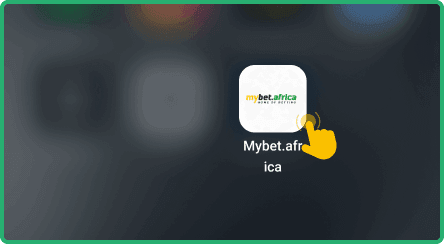
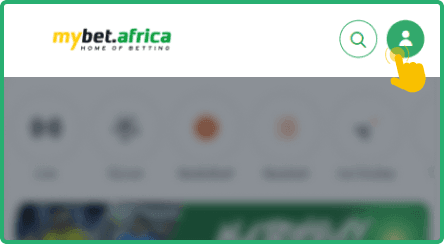
and tap on it to open the credentials form.
then tap the login button to enter your account.
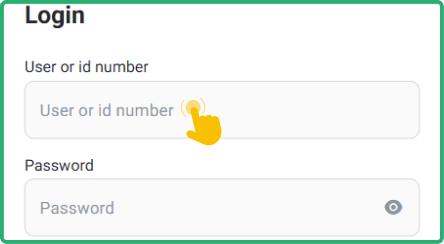
After logging in, you will have full access to sports markets, your account balance, and all available promotions directly from your phone.


Offline Login Guide
Mybet.africa does not currently support SMS or USSD login, so there is no offline method to access your account. Users in Ghana who want to manage data costs should consider connecting through Wi Fi hotspots or using the lightweight Android app, which consumes minimal data due to its small file size of just 6.7 MB and low RAM requirements.
What to Do After Login
Once logged in, the cashier section becomes accessible for making deposits. If a bettor funds their account, they could start placing wagers on live and pre match events across a wide range of sports. Real money betting requires at least one successful deposit before any selections can be confirmed.
Mybet.africa offers promotional features that could enhance the betting experience after a deposit is completed. The platform runs a VIP Loyalty program that rewards consistent users, and there is also a weekly cashback offer. These promotions would activate based on the user's activity and deposit history, providing additional value over time.
It is worth noting that promotional terms may vary, so checking the promotions page after logging in could help clarify what is currently available. If any questions arise about activating a specific offer, contacting support through phone at 0303970597 or via email at [email protected] would be the recommended approach.