

How To Sign Up With Supabets Ghana
Supabets is a platform that often appeals to players looking for a combination of sports betting and quick access gaming content in one convenient location. The localized site setup for Ghana points to an established local betting operator, which usually makes the registration process straightforward.
There are several ways to complete the sign up process with Supabets. This guide provides a walkthrough of each available method.
Whether through a mobile browser or a desktop computer, the creation of an account takes only a few minutes.
Supabets Sign Up Requirements
Residents of Ghana considering registration with Supabets should take note of the platform's terms and conditions before proceeding. Compliance with these requirements is a prerequisite for account creation and continued use of the platform.
- Legal gambling age: only individuals who have reached the legal age for gambling in Ghana are eligible for account creation. Underage registration is strictly prohibited under the platform's policy.
- Single account policy: the allocation of one account per person is enforced. The creation of duplicate or multiple accounts results in suspension or permanent closure.
- Valid mobile number: a working phone number is required for the verification process. This number serves as a primary contact for account confirmation and communication.
- Residency in Ghana: registration is open to individuals residing within Ghana. Proof of residency may be requested during the verification stage.
By completing the sign up process, users give automatic agreement to these conditions. A full review of the terms and conditions on the Supabets website is recommended before registration.
Online Registration Methods
The registration process with Supabets takes only seconds, provided there is access to a stable mobile internet or Wi Fi connection. Account creation is possible through smartphones, tablets, laptops, and desktop computers, giving users full flexibility in choosing their preferred device.
Supabets App Registration
Supabets does not currently offer a dedicated mobile application for download. However, the mobile version of the website provides full functionality through any smartphone or tablet browser, making registration and navigation simple without the need for an app installation.
Here is how to register through your mobile browser:
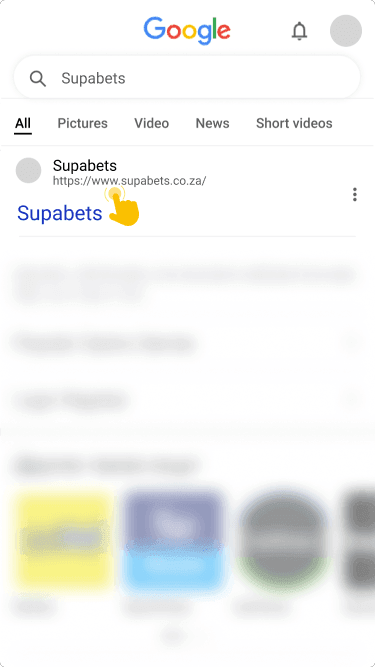
using your mobile device's browser and wait for the page to load completely.
in the upper right corner of the homepage and tap on it to begin the sign up process.

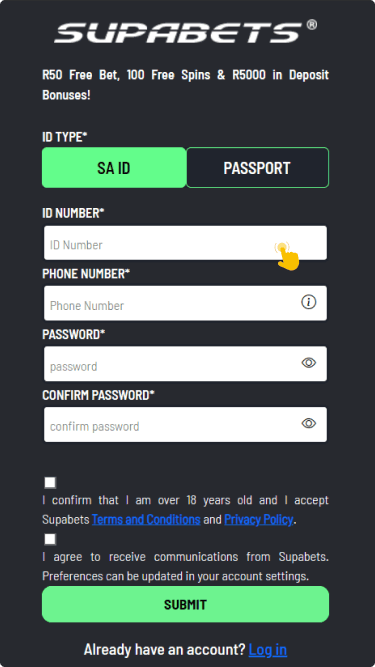
including your document ID, and create a secure password for your new account.
and follow any on screen prompts to complete the verification of your account.

For those who prefer not to bookmark the site, popular mobile browsers such as Safari, Chrome, Opera Mini, and Firefox all provide smooth access to the Supabets platform.
Web Browser Registration
The registration process is similar across both mobile and desktop browsers, so the steps below apply regardless of the device in use. The only difference is screen layout, but all fields and buttons remain the same.
- Visit the official site: open your preferred web browser and navigate to the Supabets Ghana website to reach the homepage.
- Click the registration button: find the "Register!" button located in the upper right corner and click it to open the form.
- Complete the sign up form: enter your document ID, create a password, and fill in all other required personal details accurately.
- Verify your account: follow the confirmation steps provided by Supabets to finalize your registration and activate the account.
It is important to use real, accurate data during the registration process. Personal details will need to be verified later, particularly when making a withdrawal request.
Bonuses For Supabets Registration
Supabets rewards both new and regular players with a generous selection of promotional offers. The platform's approach to bonuses covers multiple stages of a player's activity.
New users receive a Welcome 100% bonus upon their first deposit. Additional rewards follow with second and third deposit bonuses, extending the promotional experience beyond the initial sign up.
Regular players also have access to a 10% sports cashback offer and a multi bet bonus. These promotions provide ongoing value for active users on the platform.